Hi @Michel_Jouvin ,
To achieve exactly what I had but for the french translations, simply go to the link below:
In the link I shared it already filters the relevant resources for french and specifically looks for exact matches for the word review. To fix each translation, simply modify the text between the brackets [] inside the input field and you will see duplicates.
To achieve this manually instead, do the following;
- Go to the editor of the French translations in Transifex and make sure you select
All resourceson the left.
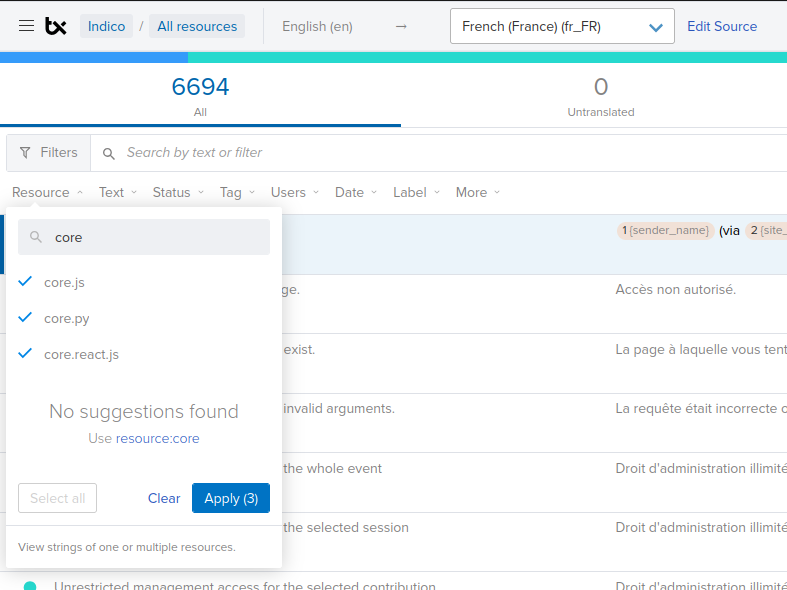
- Below the filters button, click on
Resourceand in the input field typecore. Select all three resources that appear and clickApply.
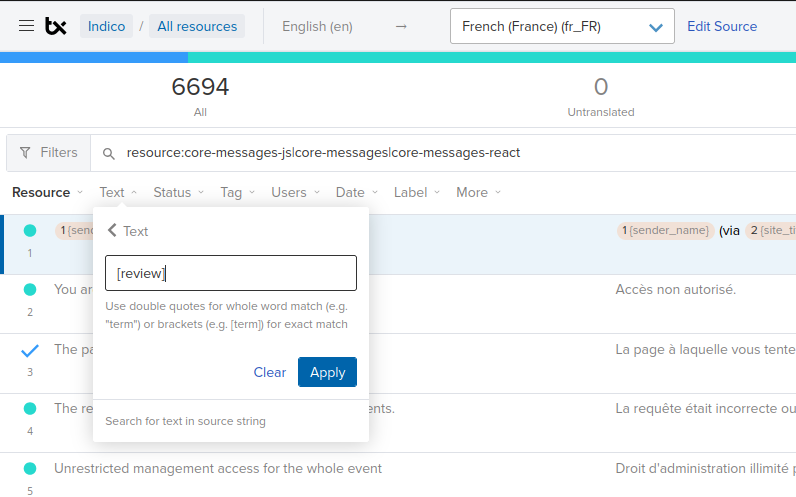
- Then click on the
Textfilter and in the input field write[...], where...is any literal English word that is to be translated. In our case that will be one of the duplicates. Keep the square brackets for exact matching, although this does not take into account different types of capitalization.
- Then I proceeded to either translate by bulk or individually.

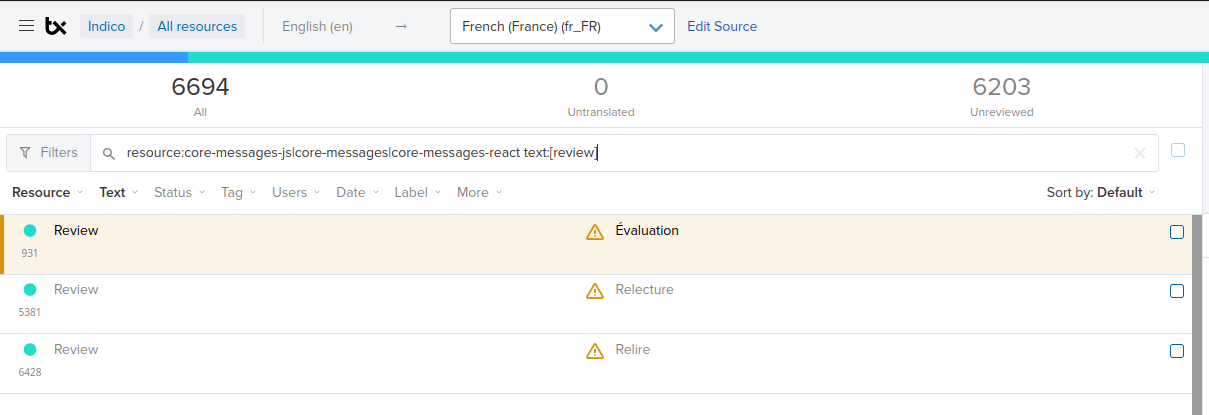
As @dirk stated, in our duplicates.log file we do not differentiate properly between for example nouns and verbs and we will need to fix that by adding context to the english phrases ourselves. The word review in French is indeed an example of that.