We have been using the room booking module successfully for a long time now. Thank you very much for this module!
Unfortunately, none of my colleagues can edit existing bookings when changes should be made. Maybe the issue is that I’m the “owner” of our rooms in the room booking module. Is there a way to make the entire office a room owner? Could this be achieved by changing the email address to the main MITP address?
You can only edit bookings if you:
- are the creator
- are the “booked for” user
- are an owner or manager of the room
So to me it sounds like you just need to add your colleagues as a manager for the room.
Note: Permissions are cached for a bit, so it can take up to 30 minutes for someone to actually gain their newly added privileges if they accessed Room Booking very recently before being granted new privileges.
Thank you for your quick reply.
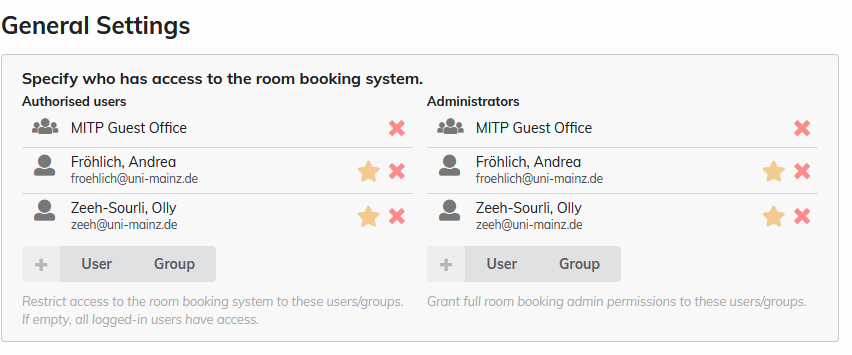
I added two colleagues as users and administrators, and we waited for around 45 minutes, but it still does not work.
Being RB admin gives them full unrestricted access in the Room Booking module. However, they need to enable admin override to use their admin permissions by going to the side menu or using the CTRL-SHIFT-A keyboard shortcut.
1 Like
Now it works. Thank you very much!