After creating the PostgreSQL user and database, I set the password for the indico user, granted the necessary permissions to the database, updated the indico.conf file, and restarted all services. However, I am still getting the message that something went wrong."
Check indico.log for more detailed errors.
Does the password contain any weird chars such as @?
Yes, there is @ in the password
Honestly, just use pwgen 32 1 to get a long simple password. Length is MUCH more valuable than a mix of character types. There’s a reason recent password guideline recommendations e.g. from NIST for passwords used by humans no longer recommend character types but only length (and pwned password checks).
Anyway, look at the format of the connection string. I think that should answer why having an @ there breaks things…
Two options if you want to keep the current password:
- url-encode it as
%40 - do not provide a password at all in indico.conf, but set it in your
~/.pgpassfile instead. AFAIK it’s used by the postgres client library automatically
PS: If the database is locally on the same system, having a password at all doesn’t really make a big difference. Local unix socket connections are already securely authenticated by the operating system, since the server knows from which system user the connection comes. And if you have an attacker or malicious code running as the Indico user, they could most likely just get the password from the config file anyway.
Thank you for your detailed information. In my case, the database is local. Do I need to set a password, or can I leave it passwordless as per the deployment instructions? Which is recommended?
Most people use the default from the setup guide, which uses the Postgres default where the database only listens on a UNIX socket and no regular (IP-based) socket at all.
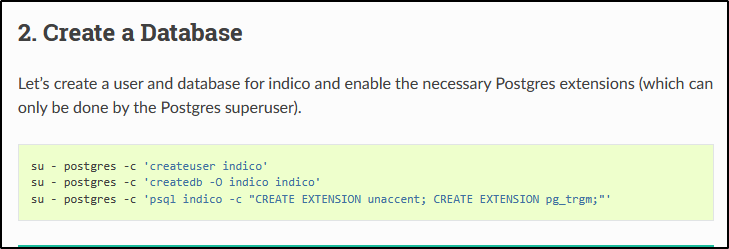
Exactly. I just had a quick look at at least on Debian the default is using peer which is the authentication method I described above.
# "local" is for Unix domain socket connections only
local   all             all                                     peer
Yes, In my case is ubuntu